// location, delivered
#FindMe
The app that finds you when nobody else can. Nothing more, nothing less.

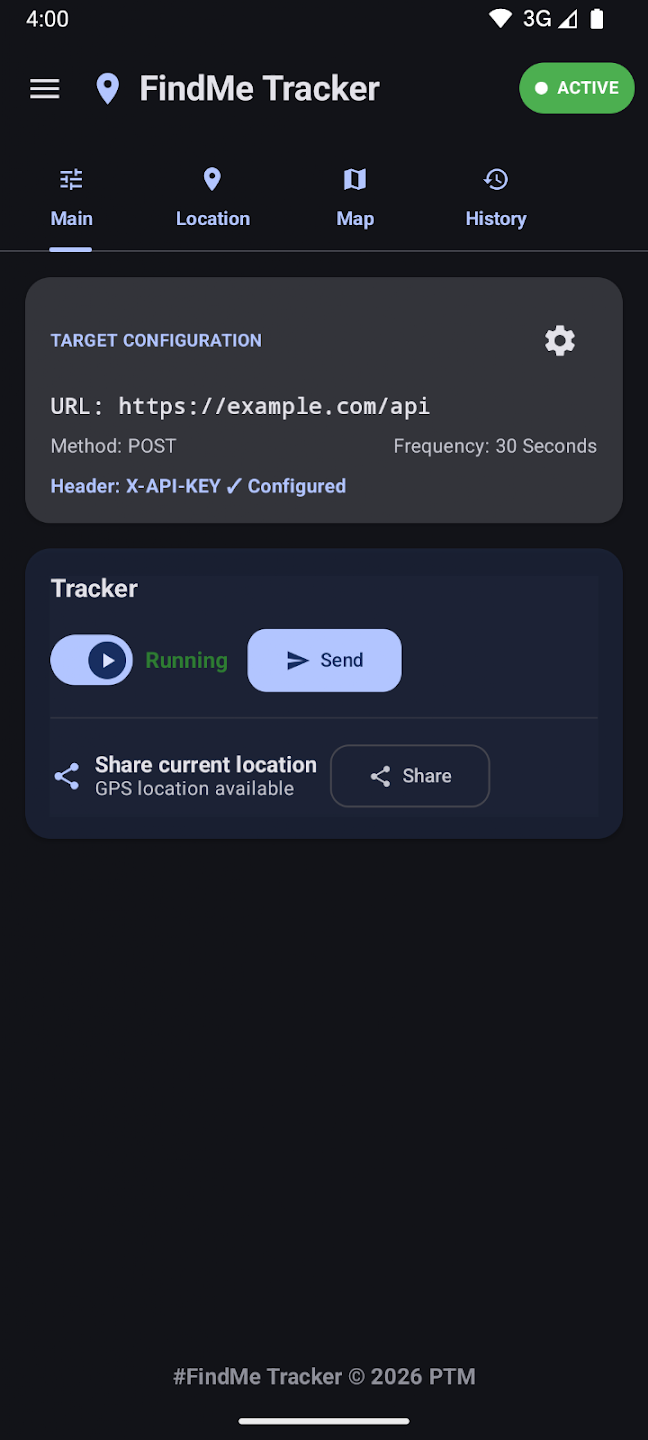
Point it at your server
Set the target URL, report schedule, and add your API key. The app sends the request with an X-API-KEY header at the interval you pick.
Start or stop tracking with one switch or hit Send for an instant update.
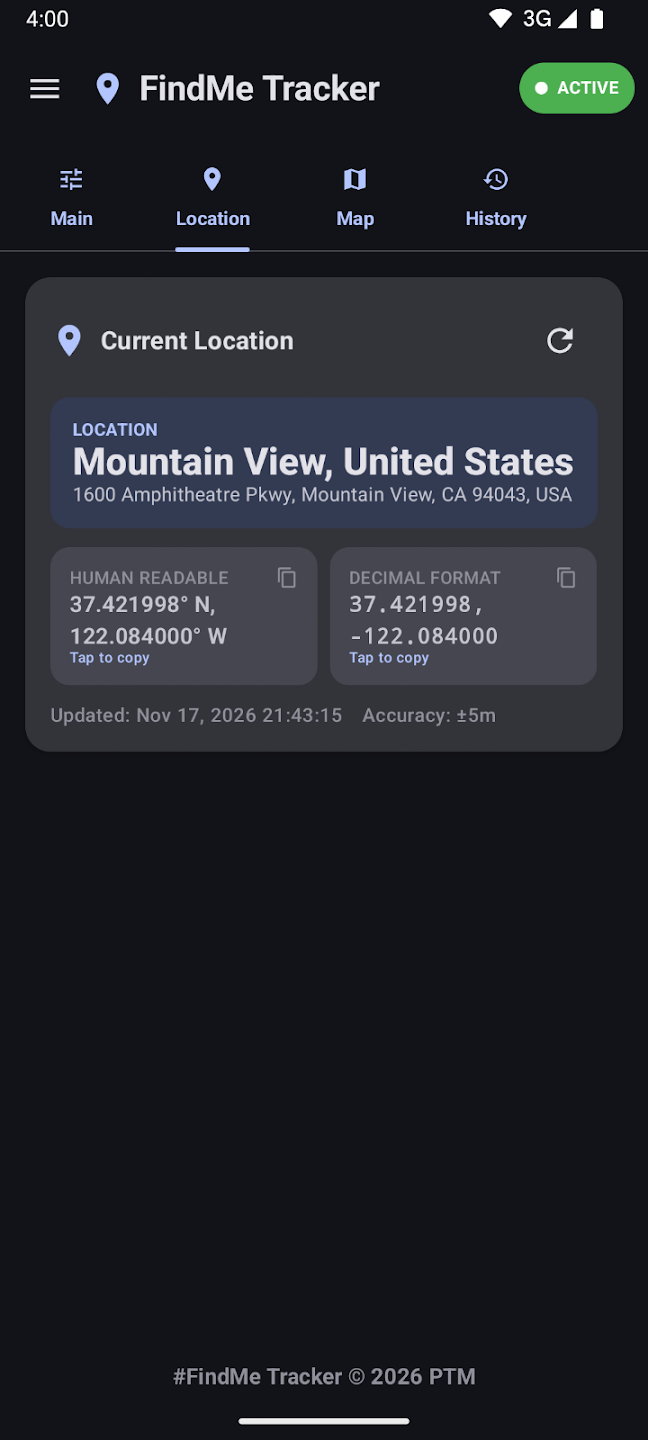
See exactly what is shared
The Location tab shows your current place, street address, coordinates in human-readable and decimal format, accuracy and the time of the last update. Tap to copy.
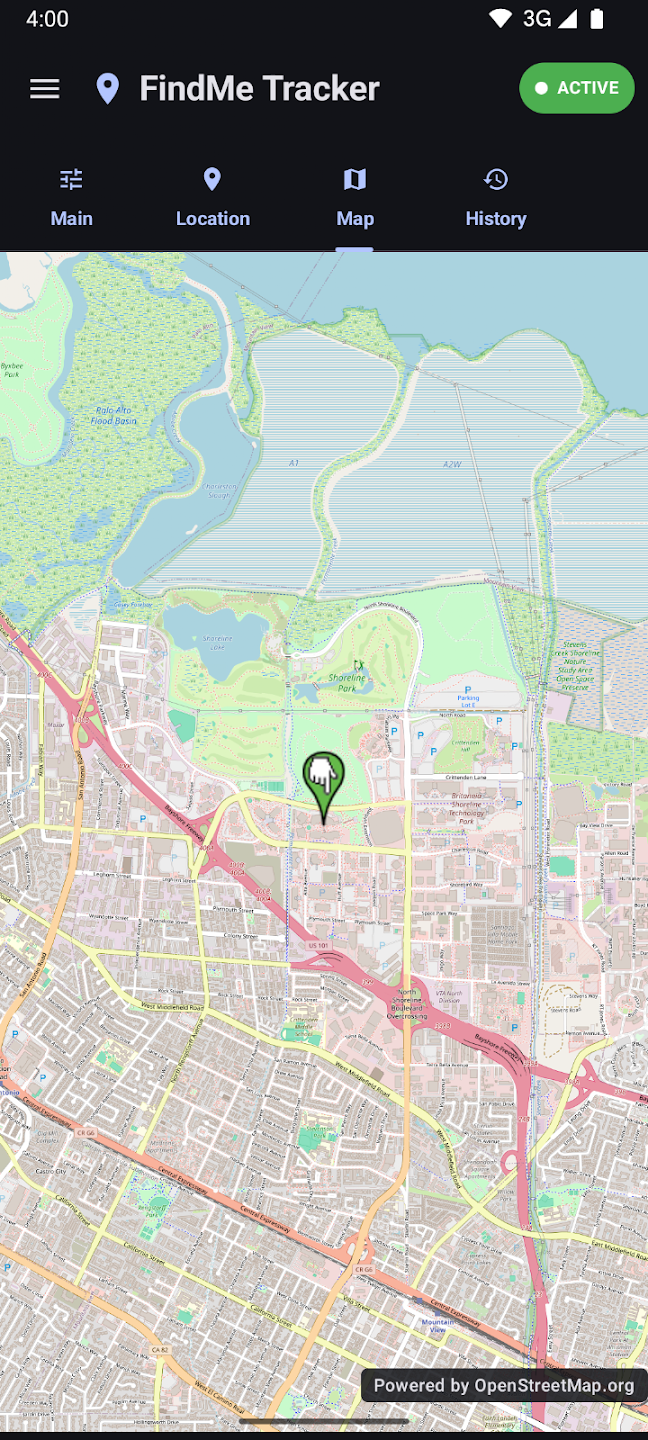
On the map
A built-in map, powered by OpenStreetMap™, pins where you are right now.
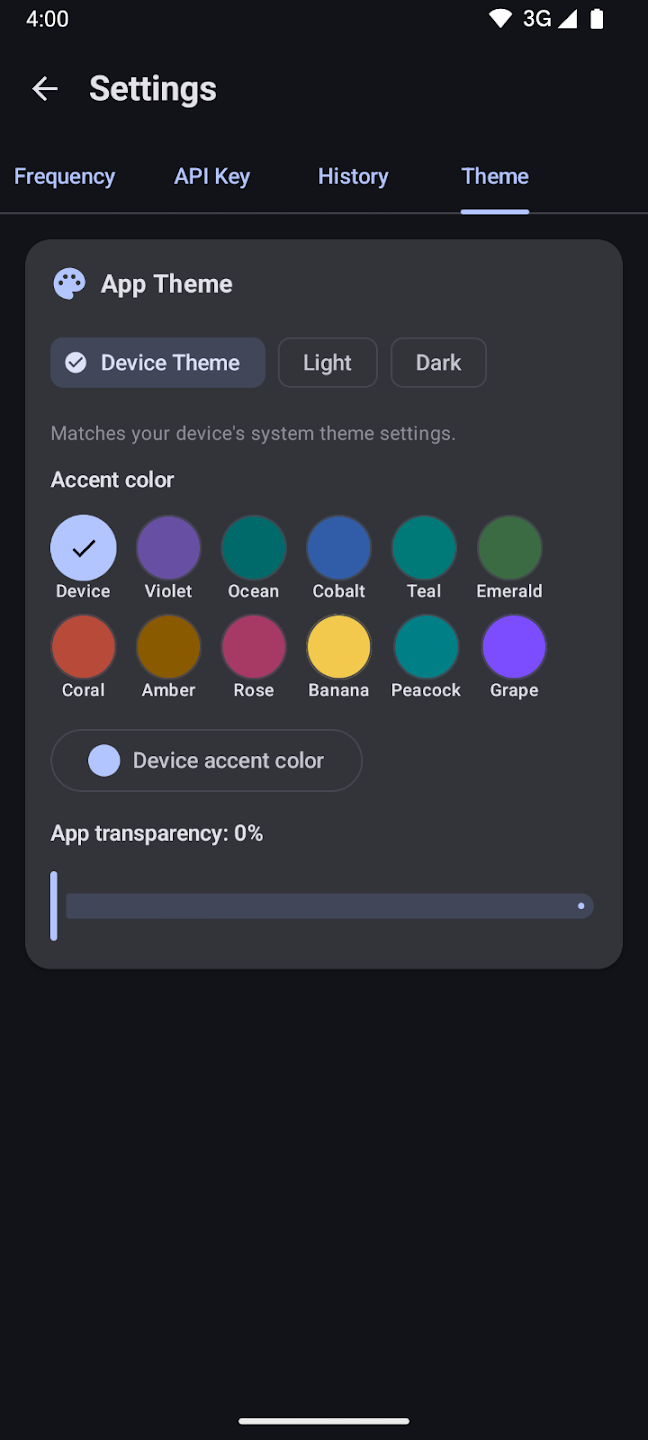
Make it yours
Follow the device theme or force light or dark, pick an accent colour, and adjust the app transparency.
Use it on your own site
Copy, paste, replace the key and the URL. That is all it takes to send, receive and display a location.
1 · Send
In the app set the URL to your receive.php, the method to POST and add your key as the X-API-KEY header. Test the same request from a terminal:
curl -X POST https://example.com/findme/receive.php \
  -H "X-API-Key: YOUR_KEY" \
  -d lat=37.421998 \
  -d lon=-122.084000 \
  -d tim=$(date +%s)
2 · Receive
Checks the method, HTTPS and key, validates the numbers and stores the latest position.
<?php
// receive.php
const API_KEY = 'change-me-to-a-long-random-string';
const FILE    = '/var/data/findme/location.json'; // keep outside the web root

if ($_SERVER['REQUEST_METHOD'] !== 'POST') { http_response_code(405); exit; }
if (empty($_SERVER['HTTPS']) || $_SERVER['HTTPS'] === 'off') { http_response_code(403); exit('Use HTTPS'); }
if (!hash_equals(API_KEY, $_SERVER['HTTP_X_API_KEY'] ?? '')) { http_response_code(401); exit; }

$lat = filter_var($_POST['lat'] ?? null, FILTER_VALIDATE_FLOAT);
$lon = filter_var($_POST['lon'] ?? null, FILTER_VALIDATE_FLOAT);
$tim = filter_var($_POST['tim'] ?? null, FILTER_VALIDATE_INT) ?: time();

if ($lat === false || $lon === false || abs($lat) > 90 || abs($lon) > 180) {
    http_response_code(400); exit('Bad data');
}

file_put_contents(FILE, json_encode(['lat' => $lat, 'lon' => $lon, 'tim' => $tim]), LOCK_EX);
echo 'OK';
3 · Display
You choose how much to reveal. Pick one:
City only turns the coordinates into a city name with OpenStreetMap’s Nominatim and shows just that. Visitors never see your coordinates, and the lookup is cached so it runs only when you move.
<?php
// city.php - show only the city name (nothing more precise leaves your server)
$d = json_decode((string)@file_get_contents('/var/data/findme/location.json'), true);
if (!$d) { echo 'Unknown'; return; }

$cacheFile = '/var/data/findme/city.json';
$key   = round($d['lat'], 2) . ',' . round($d['lon'], 2);
$cache = json_decode((string)@file_get_contents($cacheFile), true) ?: [];

if (($cache['key'] ?? '') !== $key) {            // look up only when the position changes
    $url = 'https://nominatim.openstreetmap.org/reverse?format=jsonv2&zoom=10'
         . '&lat=' . $d['lat'] . '&lon=' . $d['lon'];
    $ctx = stream_context_create(['http' => ['timeout' => 5,
           'header' => "User-Agent: my-site-findme/1.0\r\n"]]);
    $a = json_decode((string)@file_get_contents($url, false, $ctx), true)['address'] ?? [];
    $cache = ['key' => $key,
              'city' => $a['city'] ?? $a['town'] ?? $a['village'] ?? $a['county'] ?? 'Unknown'];
    file_put_contents($cacheFile, json_encode($cache), LOCK_EX);
}
echo htmlspecialchars($cache['city']);
Then print it on any page:
<!-- anywhere in your page -->
<span id="myloc"><?php include 'city.php'; ?></span>
Accurate position shows the exact coordinates (6 decimals is about 10 cm), the time of the last update and a link to the map. Use it only if you are fine with people seeing precisely where you are.
<?php
// position.php - show the accurate position, time and a map link
$d = json_decode((string)@file_get_contents('/var/data/findme/location.json'), true);
if (!$d) { echo 'No location yet'; return; }

$lat = (float)$d['lat'];
$lon = (float)$d['lon'];
printf(
    '<a href="https://www.openstreetmap.org/?mlat=%1$F&mlon=%2$F#map=16/%1$F/%2$F">%1$.6f, %2$.6f</a> <small>%3$s UTC</small>',
    $lat, $lon, gmdate('Y-m-d H:i', (int)$d['tim'])
);
Then print it on any page:
<!-- anywhere in your page -->
<span id="myloc"><?php include 'position.php'; ?></span>
Tip: for a coarser accurate position, round the coordinates (for example to 2 decimals, about 1 km) before displaying them.
Shown live on serban.ro
You can see it working live on serban.ro, the latest position appears in the footer next to the “MY LOCATION” label.
See it on serban.ro →

Get FindMe
Free on Google Play.